Let’s work together!
I’m currently open to new opportunities, whether freelance, contract, or full-time. If you think I’d be a good fit for your team or project, I’d love to hear from you.
How a from-scratch design system cut inconsistency, sped up onboarding, and made two technical SaaS products easier for thousands of installers to trust.
Used in enterprise sites for



Estimated 30-40% reduction in development time
Fewer support tickets
Faster onboarding
Positive installer feedback
Reduced training time
Consistent customer growth
I led the creation of a full design system for Easy PV and Heatpunk, two SaaS platforms used by installers and engineers across the UK and Ireland to plan and document solar and heat pump systems. When I joined, the UI had grown organically with no formal design input, inconsistent components slowed onboarding, and developers were rebuilding the same patterns from scratch. Because both products support critical infrastructure work, this was a structural fix for scalability, not a visual refresh.
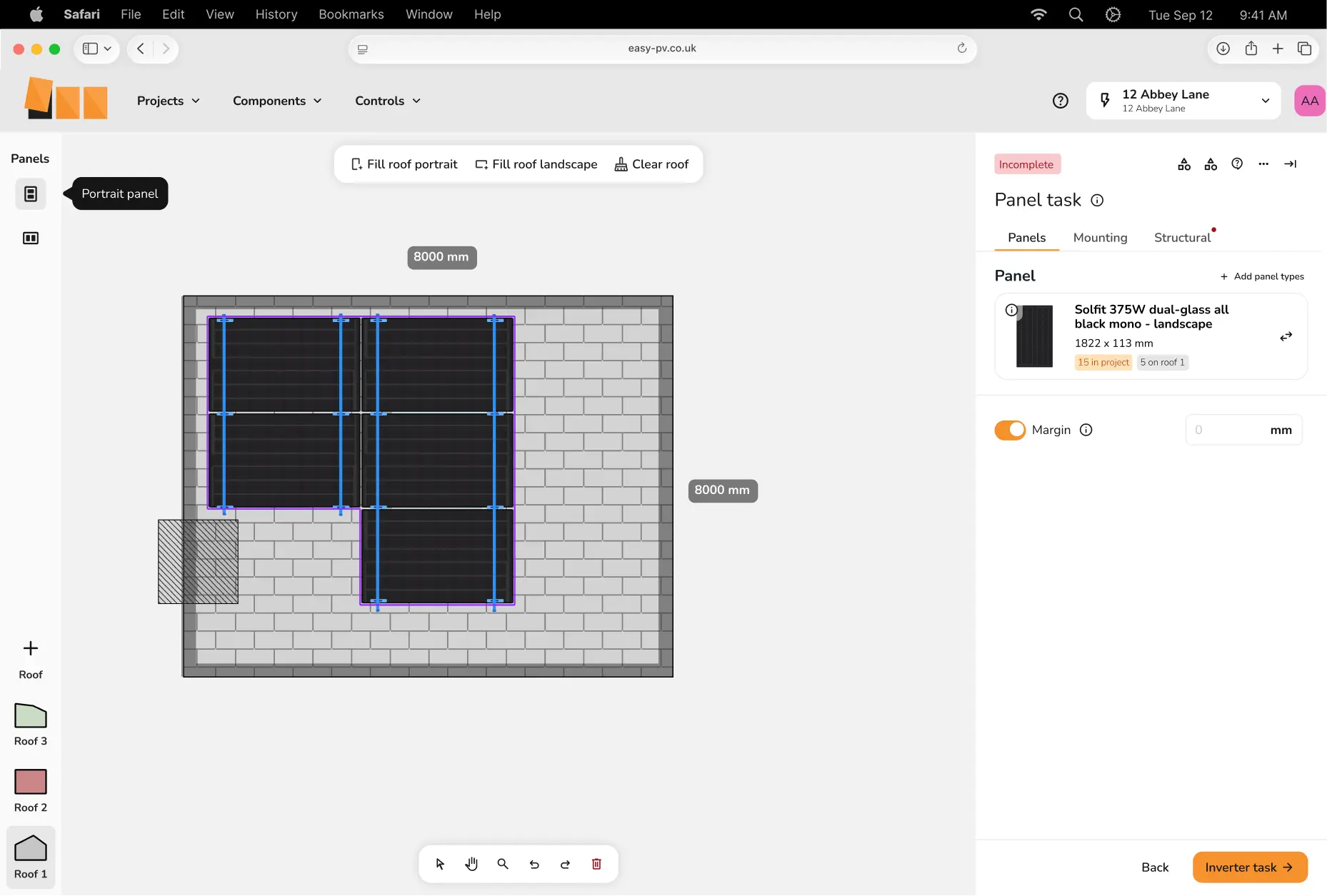
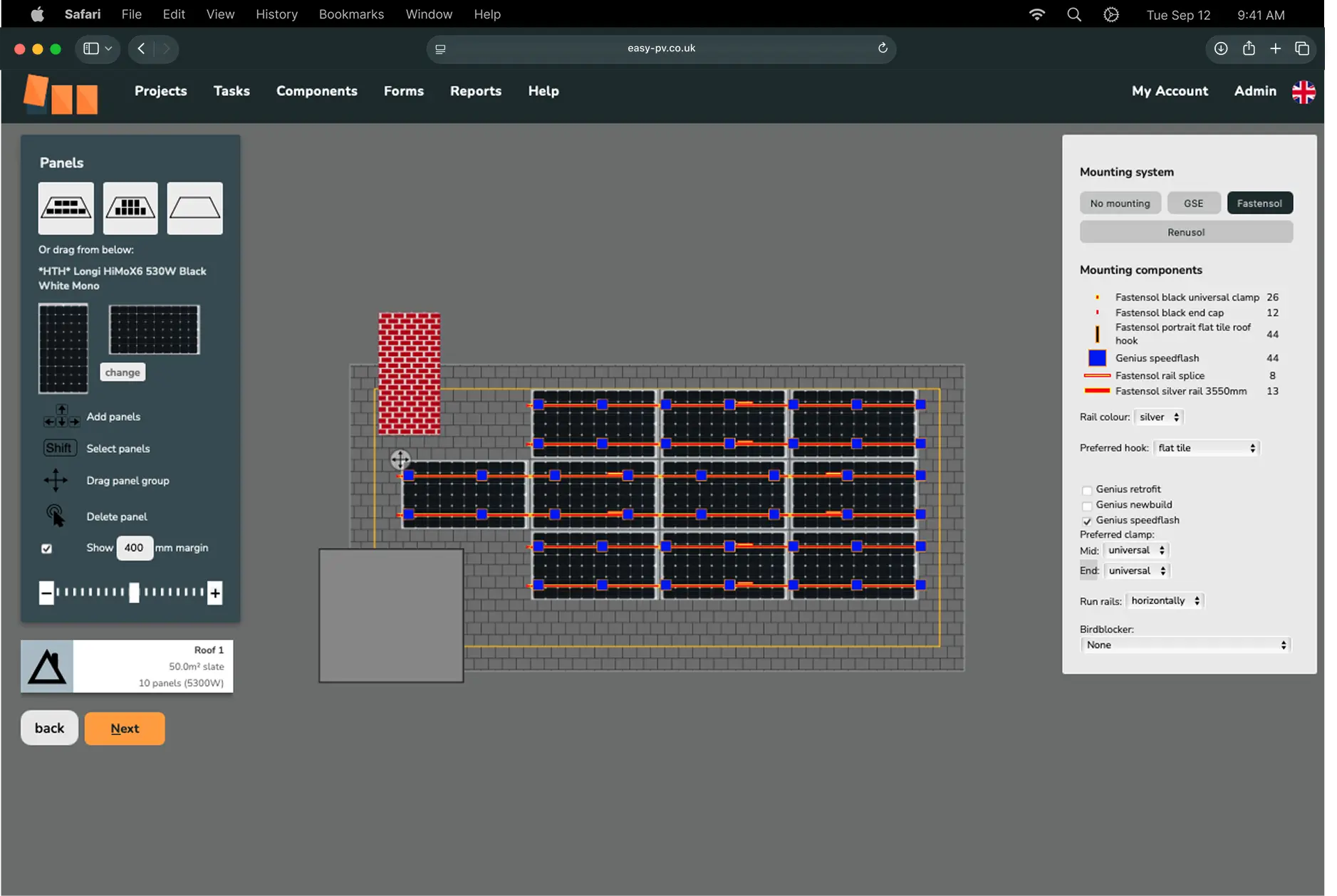
I ran a focus group with internal stakeholders to define the system's core principles, Easy, Friendly, and Comprehensive, then grounded these in real usage by interviewing installers at a solar trade event and building three core personas around their environments and pain points.
Talks to the customer, designs on the spot
Talks to the customer and builds the design in the same conversation. Wants speed and polish over depth of features.
20–50 employees
10–40 installs / month
Laptop & mobile
Designs, builds, and installs solo
Only uses the features that get a job from survey to finished paperwork, ignores a lot of the rest.
1–3 employees
1–3 installs / month
Tablet, laptop & mobile
Oversees the team, uses the software for project management
Doesn't design, but signs off on every job and wants consistent, professional output regardless of who built it.
5–10 employees
10–20 installs / month
Laptop & desktop
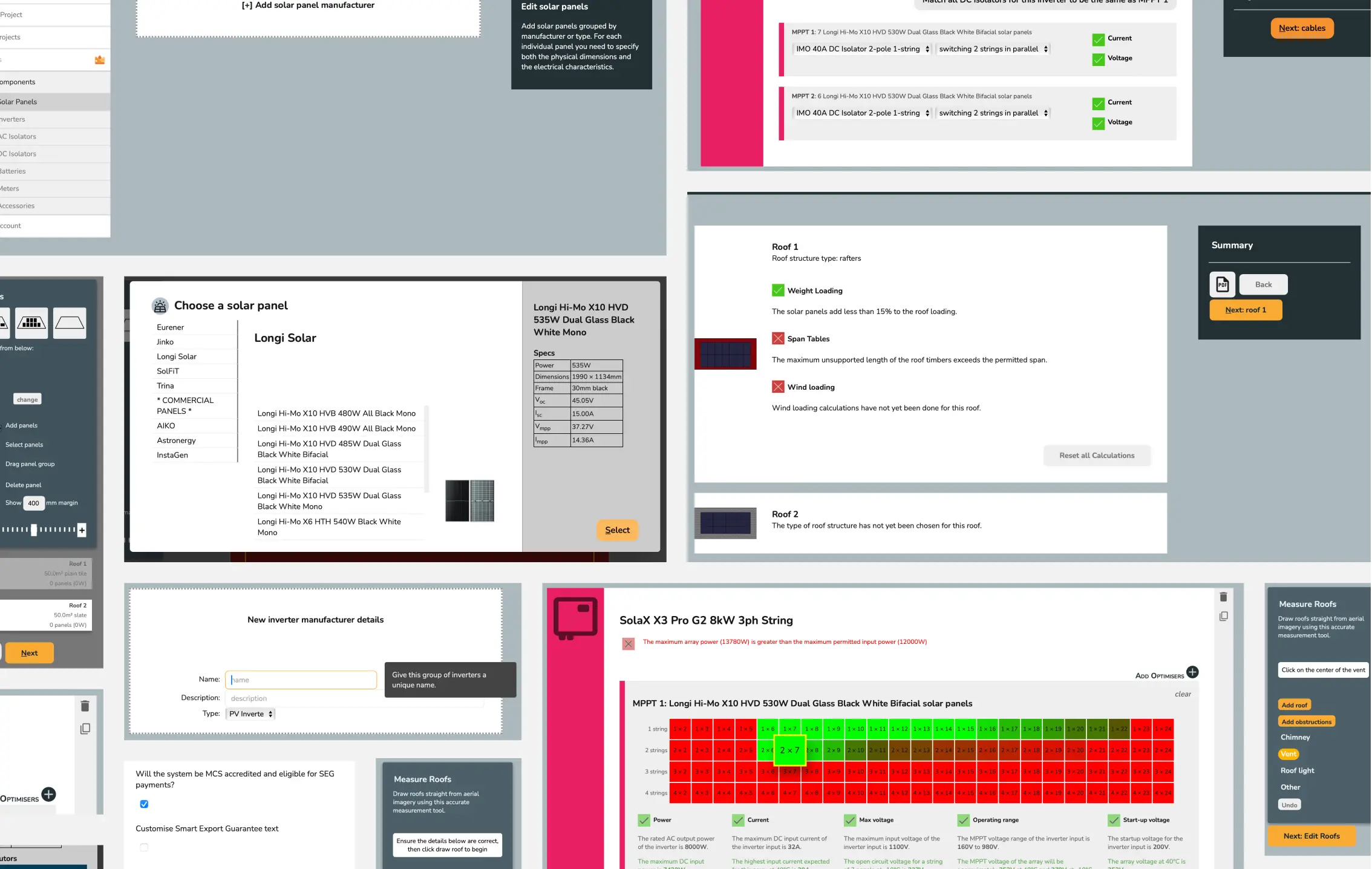
Catalogued every screen, surfacing dozens of near-identical components and no shared spacing or structural system.
Set a type scale, spacing system, and flexible tokens so EasyPV and Heatpunk could share a structure while keeping distinct visual voices.
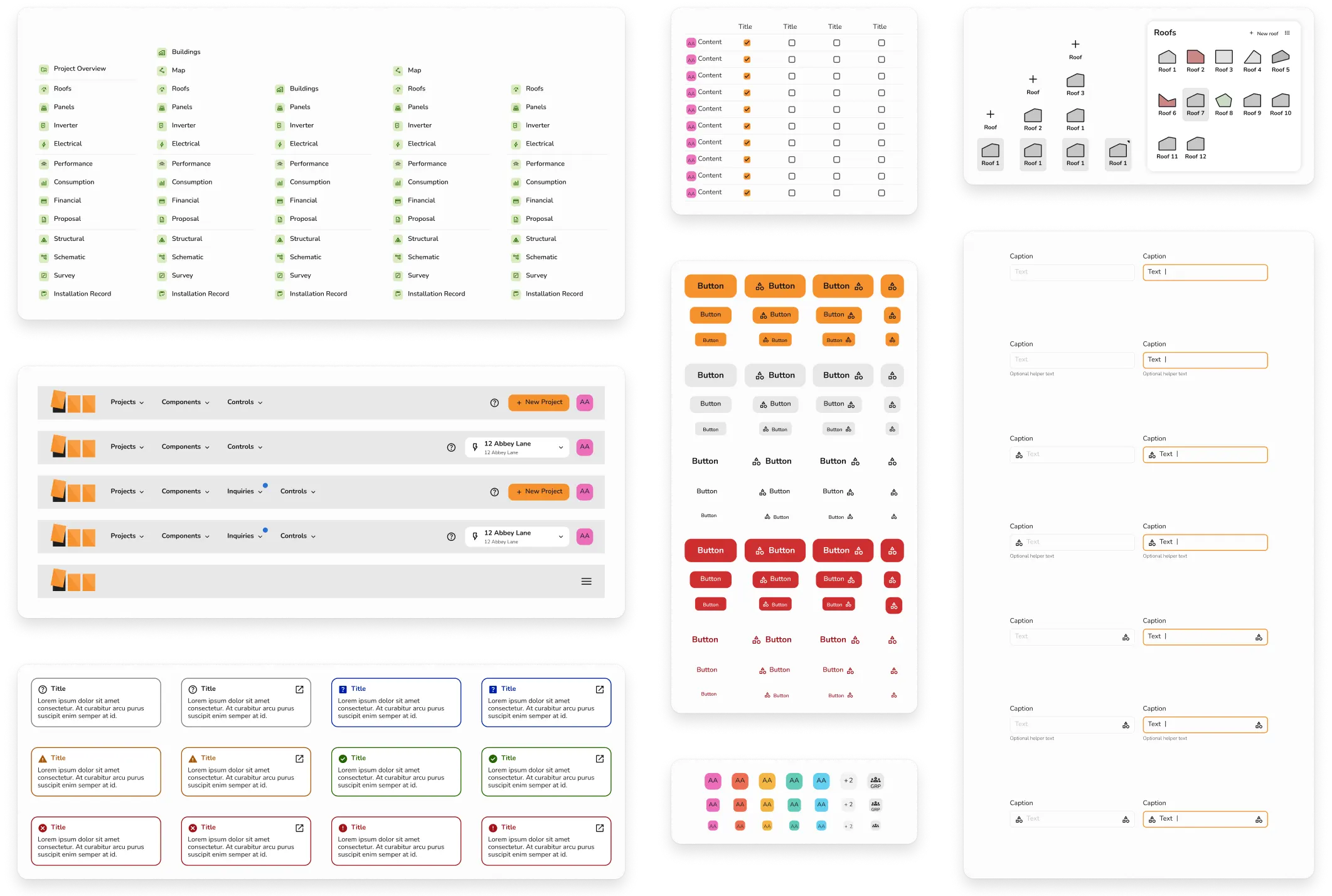
Built and documented a full component set with engineers, then prototyped key components in HTML/CSS myself to close the gap between design intent and what was actually feasible to build. This was also how I earned early buy-in from a team that had never worked with a design system before.
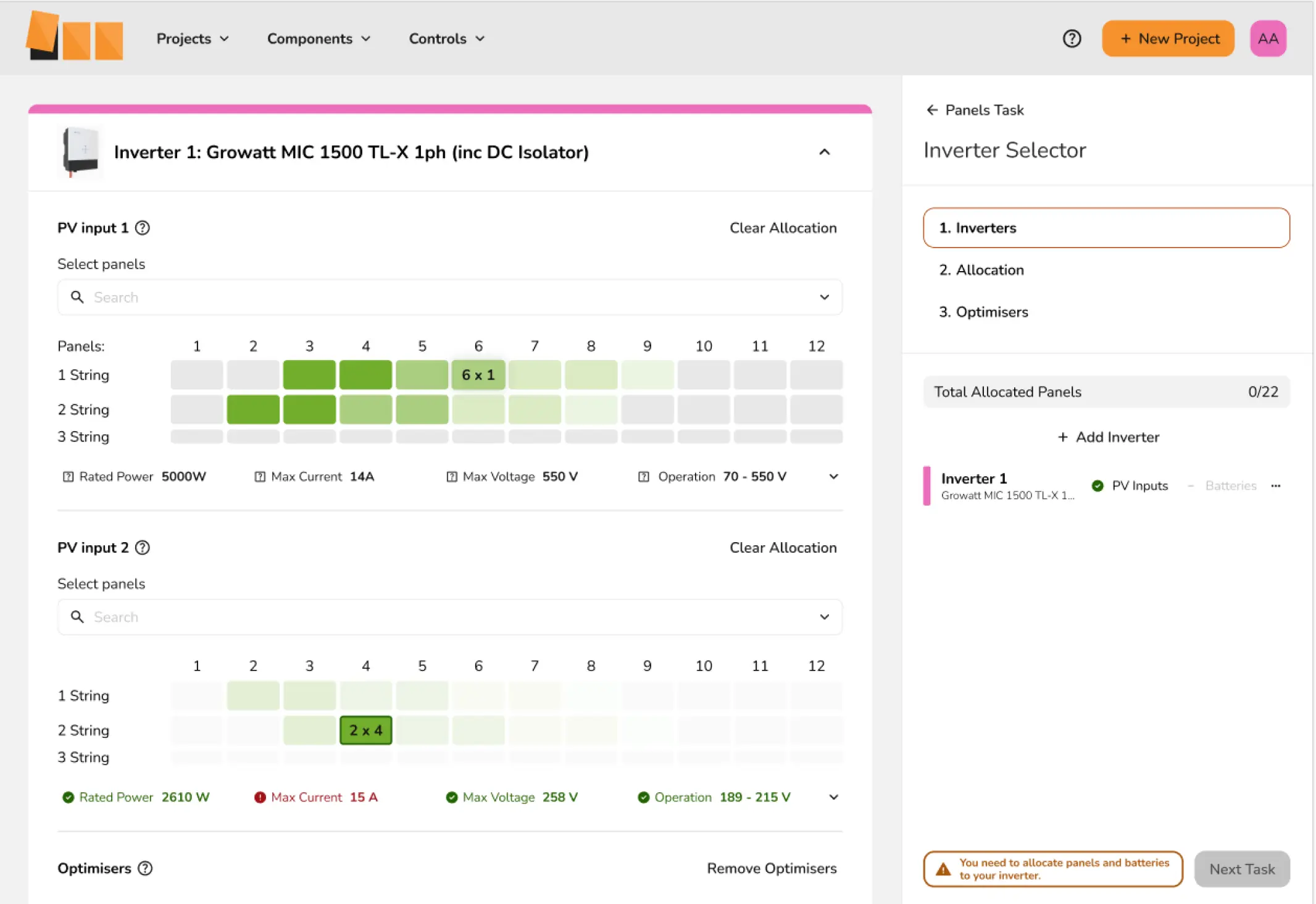
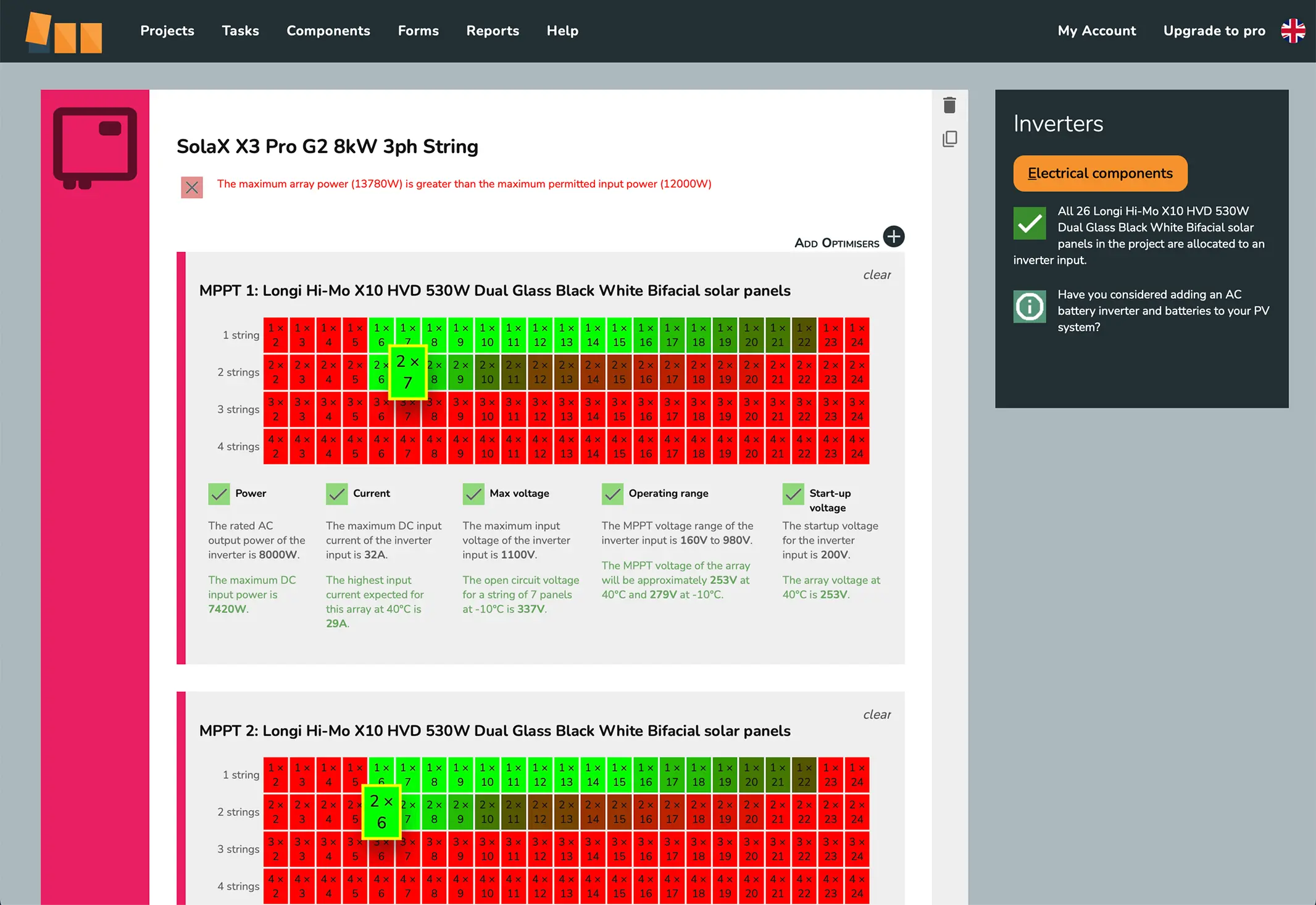
Prioritised high-traffic pages and new features first, then worked backwards through legacy sections without blocking the wider development roadmap.
Not formally measured, but the clearest signal: front-end heavy project work is estimated to have got 30-40% faster once the system was in place, since developers reused documented components rather than rebuilding the same patterns each time. Support tickets also dropped in the areas where the system rolled out, installers said the new interface was easier to use, and training time for new starters fell too.
Estimated 30-40% reduction in development time
Fewer support tickets
Faster onboarding
Positive installer feedback
Reduced training time
Consistent customer growth
This project reinforced that good design isn't surface-level, it's a structural investment. I learned how to deliver design value in a highly technical product space, balancing clean visuals with functional depth, and how much field research shapes a system that actually works for the people using it, not just the people building it.
If I did this again, I'd push for a lightweight way to track usage or support-ticket data from day one, so the impact could be shown with real numbers rather than feedback alone.